


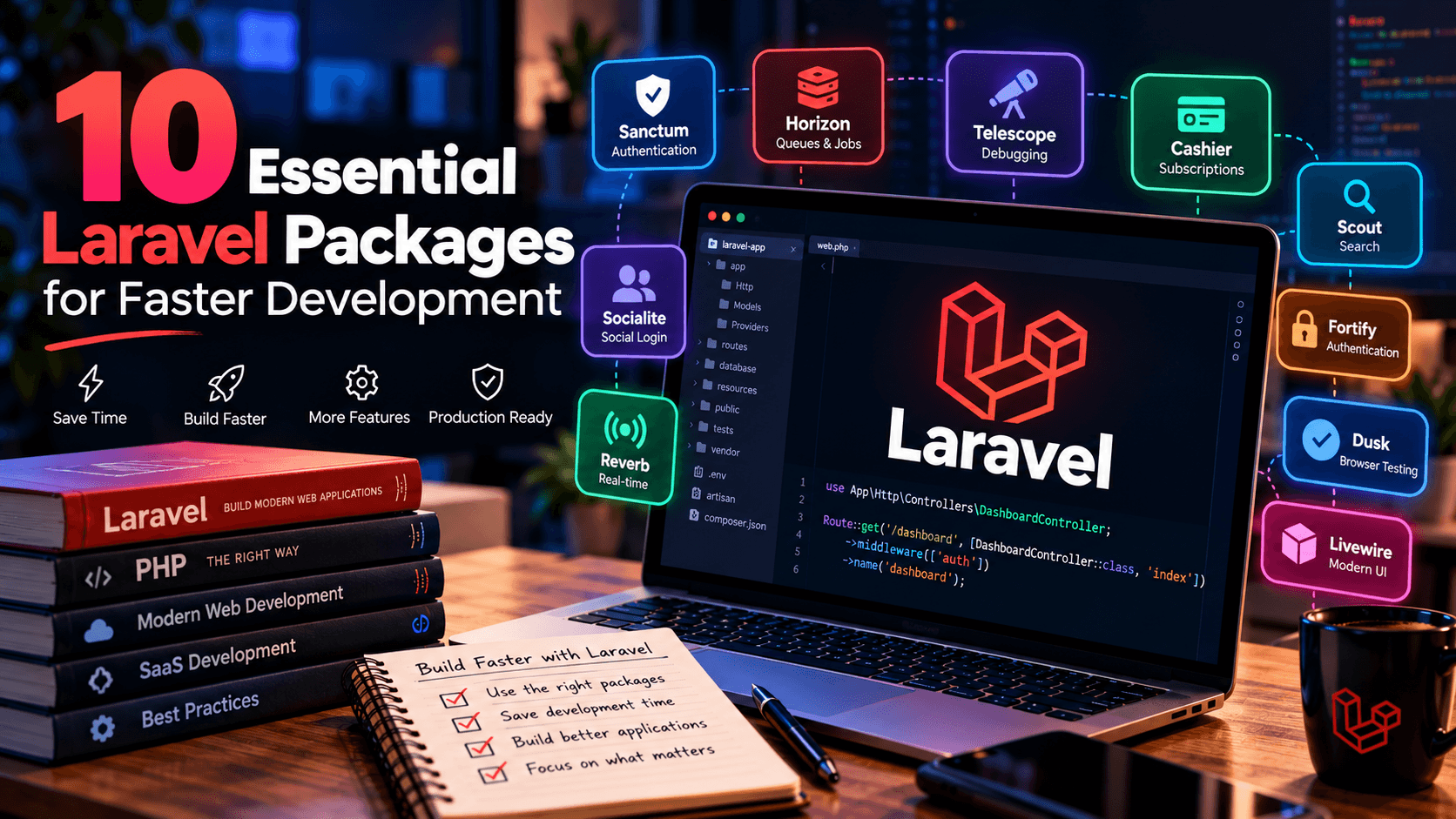
Laravel has become one of the most popular PHP frameworks for building modern web applications, APIs, SaaS platforms, dashboards, e-commerce systems, and business applications.
One of Laravel's biggest advantages is its ecosystem.
Instead of implementing every feature yourself, you can use well-maintained packages to add authentication, API access, subscriptions, queues, search, debugging, real-time communication, and other capabilities to your application.
This can significantly reduce repetitive development work and allow you to spend more time building the functionality that makes your application unique.
In this guide, we'll look at 10 Laravel packages and first-party tools worth knowing when developing modern Laravel applications, along with what they do, when to use them, and what to consider before adding them to a project.
Note: Package compatibility depends on your Laravel and PHP versions. Always check the package's current documentation and supported versions before installing it.
1. Laravel Sanctum
Package: laravel/sanctum
Laravel Sanctum provides lightweight authentication for SPAs, mobile applications, and token-based APIs. It supports personal access tokens with abilities and also provides cookie-based authentication for first-party SPAs.
Why use Sanctum?
Modern applications frequently need an API.
For example, you might have:
Sanctum can provide a straightforward authentication layer without requiring the complexity of a full OAuth implementation.
Useful for
- REST APIs
- SPA applications
- Mobile applications
- Personal API tokens
- API access control
- First-party frontend applications
Example installation
Modern Laravel applications can install the API stack using:
Laravel's documentation notes that this installs the API infrastructure including Sanctum.
When should you use it?
Sanctum is particularly useful when your application needs a Laravel backend that communicates with:
- React
- Vue
- Mobile applications
- JavaScript applications
- Third-party API consumers
If you need a full OAuth 2.0 authorization server, you may need a different solution.
2. Laravel Horizon
Package: laravel/horizon
Applications often need to perform tasks outside the user's immediate request.
Examples include:
- Sending emails
- Processing images
- Generating reports
- Importing large datasets
- Sending notifications
- Processing webhooks
- Running background jobs
Laravel queues are designed for this kind of work.
Horizon provides a dashboard and configuration system for Laravel queues powered by Redis. It allows developers to monitor queue throughput, runtime, failures, and other metrics.
Why queues matter
Imagine a user uploads a large video.
Without a queue:
The user may have to wait for everything to finish.
With a queue:
The application becomes more responsive.
Horizon dashboard
Horizon provides visibility into:
- Job throughput
- Runtime
- Failed jobs
- Queue workers
- Job processing
It requires Redis for its queue backend.
Best use cases
Horizon is particularly useful for:
- SaaS platforms
- Large applications
- Notification systems
- Media processing
- E-commerce
- API-heavy applications
- Background automation
3. Laravel Telescope
Package: laravel/telescope
Laravel Telescope is a debugging assistant designed to help developers understand what is happening inside a Laravel application.
It can provide visibility into application activity such as:
- Requests
- Commands
- Jobs
- Exceptions
- Database queries
- Notifications
- Cache activity
The Laravel ecosystem lists Telescope as an official Laravel package for application debugging.
Why is this useful?
Suppose an application suddenly becomes slow.
Instead of guessing, you can investigate:
Tools that expose this activity can make debugging significantly easier.
Development vs production
Telescope should be configured carefully.
A debugging dashboard containing application information should never be casually exposed to the public internet.
Restrict access appropriately and consider whether you need it enabled in production.
4. Laravel Cashier
Package: laravel/cashier
If you're building a SaaS application with subscriptions, billing is one of the areas where implementing everything manually can become complicated.
Laravel Cashier provides an expressive interface for Stripe subscription billing. Laravel also provides a separate Cashier integration for Paddle.
Typical SaaS flow
Then the application needs to deal with:
- Subscription status
- Billing cycles
- Cancellations
- Renewals
- Payment failures
- Webhooks
- Invoices
A billing package can significantly reduce the amount of infrastructure you need to build yourself.
Good use cases
Cashier is particularly useful for:
- SaaS applications
- Membership websites
- Subscription platforms
- Premium tools
- Recurring services
Important consideration
Do not select a billing package purely because it is popular.
Choose the payment provider based on:
- Your target customers
- Supported countries
- Currency requirements
- Payment methods
- Tax requirements
- Business requirements
5. Laravel Scout
Package: laravel/scout
Search can start simple.
At first, you might write:
But as your application grows, search requirements can become much more sophisticated.
Laravel Scout provides a driver-based approach to searching Eloquent models.
This allows your application to integrate with different search engines without completely redesigning your application's search architecture.
Useful for
- Product marketplaces
- E-commerce
- SaaS platforms
- Documentation sites
- Content platforms
- Large databases
Example
Imagine CodeBodh has thousands of products.
A user searches:
A good search system may need to consider:
- Product name
- Description
- Tags
- Category
- Technology
- Author
- Relevance
That's considerably more powerful than a basic SQL LIKE query.
6. Laravel Socialite
Package: laravel/socialite
Users increasingly expect to sign in using accounts they already have.
Socialite provides a Laravel-friendly interface for OAuth authentication with supported social providers. Laravel describes Socialite as a wrapper around OAuth 1 and OAuth 2 libraries.
Typical login flow
Useful for
- SaaS applications
- Communities
- Marketplaces
- Developer platforms
- Consumer applications
Social login can reduce friction during registration, particularly when users don't want to create another password.
7. Laravel Reverb
Package: laravel/reverb
Modern applications increasingly need real-time communication.
Examples include:
- Live notifications
- Chat
- Real-time dashboards
- Activity feeds
- Collaboration tools
- Live status updates
Laravel Reverb provides a real-time WebSocket communication backend for Laravel applications. It is part of Laravel's current ecosystem.
Traditional application
Real-time application
Instead of repeatedly asking:
"Did something change?"
the application can receive events as they happen.
Potential applications
Reverb can be useful for:
- Chat applications
- Notifications
- Collaboration
- Monitoring dashboards
- Real-time SaaS interfaces
It is not necessary for every Laravel project, but it becomes valuable when real-time behavior is a core feature.
8. Laravel Fortify
Package: laravel/fortify
Authentication is more complicated than a simple login form.
A complete authentication system may include:
- Login
- Registration
- Password reset
- Email verification
- Two-factor authentication
- Password confirmation
- Authentication flows
Laravel Fortify provides backend authentication controllers and infrastructure.
Why use Fortify?
It can provide authentication functionality while allowing you to build your own frontend.
This is particularly useful when you don't want your authentication UI tightly coupled to a particular frontend framework.
For example:
9. Laravel Dusk
Package: laravel/dusk
Testing becomes increasingly important as an application grows.
Unit tests and feature tests are valuable, but sometimes you need to test the application the way a real user interacts with it.
That's where browser automation becomes useful.
Laravel Dusk provides end-to-end browser testing and browser automation for Laravel applications.
Example test flow
A browser test could verify:
You can use browser tests to verify important workflows after code changes.
Particularly useful for
- SaaS applications
- E-commerce
- Authentication
- Checkout
- Admin panels
- Complex JavaScript interfaces
10. Laravel Livewire Starter Kit
Modern Laravel applications don't necessarily require a separate JavaScript SPA architecture.
Laravel's current ecosystem includes official starter kits for Livewire as well as React, Vue, and Svelte.
Livewire is particularly interesting for developers who want highly interactive interfaces while keeping much of the application logic within the Laravel/PHP ecosystem.
Traditional approach
SPA-style architecture
Livewire approach
This can be attractive for:
- Admin panels
- Dashboards
- CRUD applications
- Internal tools
- SaaS applications
- Data-heavy interfaces
It can also reduce the amount of custom JavaScript required for certain interfaces.
How to Choose Which Packages You Actually Need
One of the biggest mistakes developers make is installing packages simply because they exist.
More packages do not automatically mean a better application.
Every dependency introduces additional:
- Code
- Updates
- Compatibility requirements
- Security considerations
- Maintenance
- Documentation
- Upgrade work
Before installing a package, ask:
Does Laravel already provide this functionality?
Laravel itself provides a large number of features.
If the framework already solves your problem well, an additional package may be unnecessary.
Is the package actively maintained?
Check:
- Release history
- Documentation
- Supported Laravel versions
- Supported PHP versions
- Issue activity
- Repository activity
- Security history
Do not assume that an old package is safe simply because it has many downloads.
Does the package solve a real problem?
Avoid installing a package just because a tutorial recommends it.
Start with the requirement.
Then find the smallest appropriate solution.
A Practical Laravel Stack
For example, a modern SaaS project might use a combination such as:
But you don't need all of these for every project.
A small portfolio website might need almost none of them.
A large SaaS platform may benefit from several.
Don't Forget Laravel's Built-In Features
Before reaching for an external package, explore what Laravel already provides.
Laravel includes a substantial ecosystem around:
- Routing
- Middleware
- Authentication
- Authorization
- Validation
- Eloquent ORM
- Database migrations
- Queues
- Events
- Notifications
- Caching
- Scheduling
- File storage
- HTTP clients
- Testing
The official Laravel ecosystem also includes tools such as Horizon, Sanctum, Scout, Socialite, Telescope, Reverb, Dusk, Cashier, and multiple starter kits.
This means you can often build a surprisingly capable application without adding a large number of third-party dependencies.
Laravel Version Compatibility Matters
Before installing a package, always check its compatibility with your application's Laravel and PHP versions.
Laravel's current release documentation lists Laravel 13 as the 2026 release, with PHP 8.3–8.5 support, while Laravel 12 receives security fixes through February 24, 2027.
Therefore, an article about Laravel packages should not simply recommend a package without considering the version of Laravel being used.
A package that worked perfectly in an older Laravel project may require a newer release or a different installation process today.
Final Thoughts
Laravel's ecosystem can dramatically reduce the amount of repetitive work involved in building applications.
Packages and first-party tools can help with:
- Authentication
- APIs
- Queues
- Billing
- Search
- Debugging
- Social login
- Real-time communication
- Browser testing
- Application scaffolding
But the goal shouldn't be to install as many packages as possible.
The better approach is to identify the application's requirements first and then choose reliable tools that solve those requirements without adding unnecessary complexity.
A well-designed Laravel application isn't necessarily the one with the most dependencies.
It's the one where every dependency has a clear purpose.
Whether you're building a small PHP application, a large SaaS platform, an API, an e-commerce system, or a product that you plan to distribute commercially, understanding the Laravel ecosystem can help you make better architectural decisions and spend more time building features that actually matter.
Build less boilerplate. Build more product.
Frequently Asked Questions
What is the best Laravel package for authentication?
There isn't one universal answer. Laravel provides several authentication approaches, and the right choice depends on whether you need traditional web authentication, SPA authentication, API tokens, or a more customized authentication backend. Sanctum is particularly useful for lightweight API and SPA authentication.
Is Laravel Horizon required for every Laravel project?
No. Horizon is useful when your application uses Redis-backed queues and you need its monitoring and configuration capabilities. A simple Laravel application may not need it.
Should I install every package mentioned in this article?
No. Treat the list as a reference rather than a required dependency list. Install packages only when your application's requirements justify them.
Are Laravel packages free?
Many Laravel ecosystem packages are open source, but individual packages can have their own licenses and dependencies. Always review the package's repository, license, documentation, and current compatibility before using it in a commercial project.
Where can I find Laravel packages?
Packagist is the primary PHP package repository, and Laravel maintains an ecosystem of official packages and tools. The current Laravel package listing includes Sanctum, Horizon, Scout, Socialite, Telescope, Reverb, Dusk, Cashier, Fortify, and others.


Comments (0)