


Disclosure: #Sponsored by Bluehost. Paid partnership with Bluehost. I earn a commission if you sign up through my links at no extra cost to you. Bluehost provided tool access for evaluation, but all technical workflows, test prompts, and architectural observations in this guide represent independent testing. #sponsoredbybluehost
For developers, technical freelancers, and indie builders, speed-to-market is the primary bottleneck. Validating a SaaS concept, spinning up an event registration page, or publishing a portfolio utility often gets delayed by repetitive frontend boilerplate: configuring responsive grids, setting up forms, wrangling DNS records, and wiring up cloud hosting.
Bluehost AI Builder addresses this rapid prototyping challenge. It is an agentic, prompt-to-website engine that transforms natural language system prompts into functional, multi-page web applications, landing pages, and developer portfolio sites.
Rather than locking developers behind upfront billing hurdles, Bluehost AI Builder is $0 to start, no credit card required on its foundational tier.
In this practical technical walkthrough on CodeBodh, we will explore the underlying build engine, test its generative capabilities, evaluate how conversational refinements work, and demonstrate how to deploy a functional web property without writing HTML, CSS, or JavaScript from scratch.
Architectural Overview: How Bluehost AI Builder Functions
Unlike traditional static site generators or drag-and-drop block builders that force manual coordinate adjustments, Bluehost AI Builder operates on an interactive conversational loop.
Core Specifications
- Entry Model: $0 to start, no credit card on the Free plan; paid plans from $20/mo.
- Runtime Hosting: Managed cloud infrastructure is bundled into all tiers and never consumes generation credits.
- Target Builds: Developer portfolios, SaaS landing pages, agency project showcases, consultant hubs, and documentation blogs.
- Scope Boundary: Bluehost AI Builder is optimized for content presentation, booking flows, and inbound lead capture. If your project requires a full transactional multi-product shopping cart with inventory and payment gateway management, Bluehost provides Bluehost AI Store for ecommerce builds.
Step-by-Step Developer Walkthrough: Rapid Prototyping
Let's walk through building a live, responsive software product showcase page.
Step 1: Account Creation and Context Definition
You can authenticate directly via GitHub, Google, Apple, or email. Since the initial tier does not ask for payment details, you land directly in the workspace.
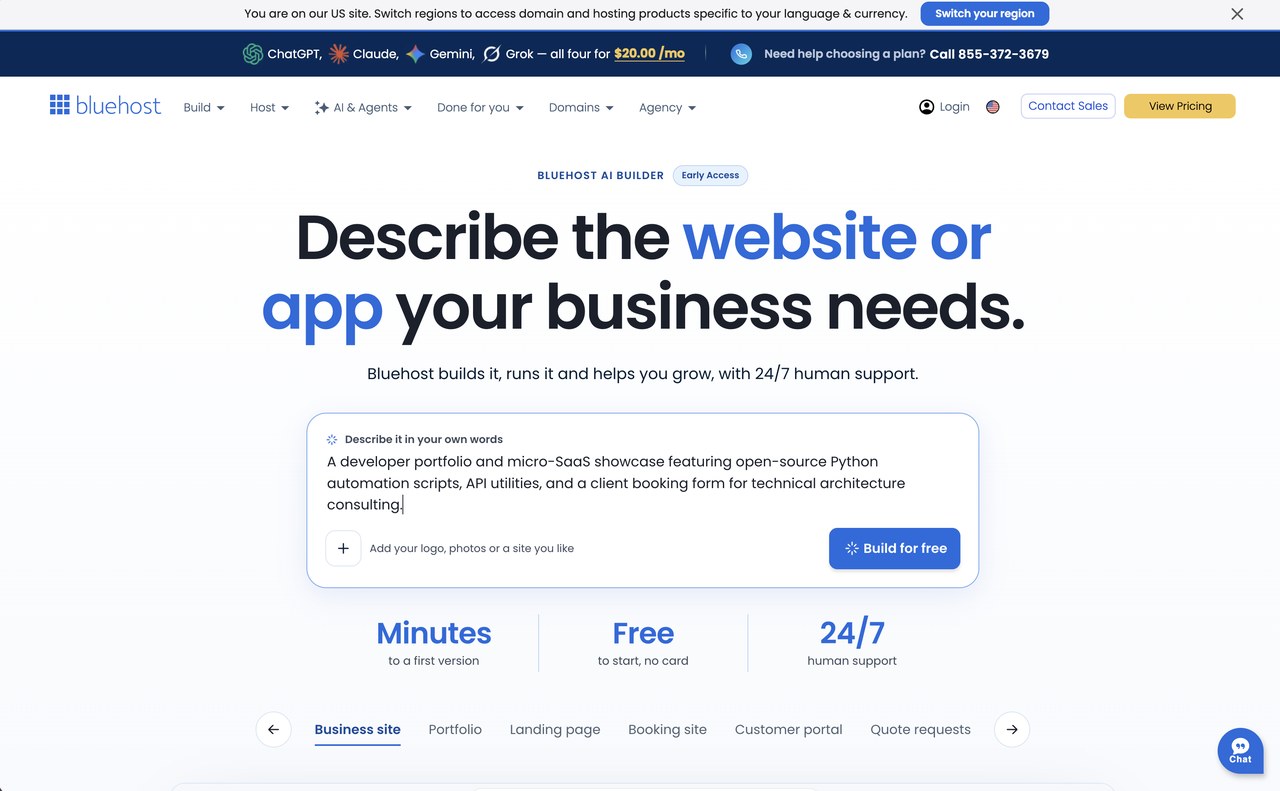
You begin by feeding the engine a descriptive system prompt. For our builder test, I submitted:
"A developer portfolio and micro-SaaS showcase featuring open-source Python automation scripts, API utilities, and a client booking form for technical architecture consulting."
Before compiling the layout, the AI triggers 2–3 brief clarifying questions to confirm stylistic aesthetics (e.g., dark mode vs. modern minimalist light mode, target audience, and primary CTA goals). These clarifying questions are completely free and do not consume your daily generation credits.
Step 2: Automated Component Compilation
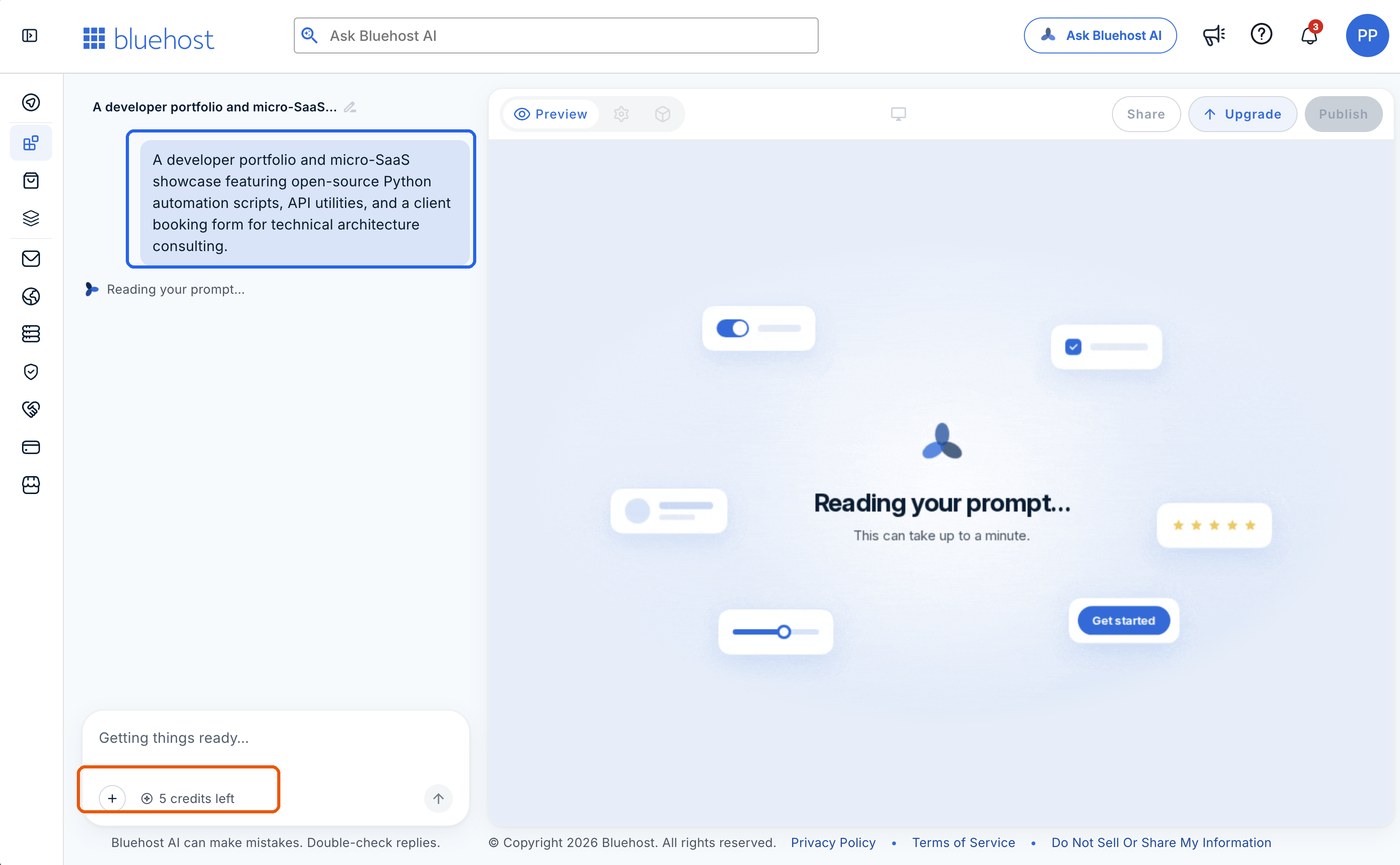
Once confirmed, the generator synthesizes the full web application structure within 60 to 90 seconds. Instead of a single flat graphic, it outputs a multi-section modular layout:
- Header & Hero Section: Clean navigation bar, headline hierarchy, and clear primary CTA buttons.
- Feature & Tool Grid: 3-column interactive feature cards highlighting scripts, documentation links, and tech stacks.
- Responsive Media Embeds: Auto-selected contextual visuals with pre-configured semantic alt tags.
- Interactive Lead Capture Form: Functional input fields with client-side form validation.
The copy generated across the hero and service blocks accurately incorporates software terminology (APIs, deployment pipelines, automation) derived from the original prompt.
Step 3: Iterative Chat-Driven Refinements
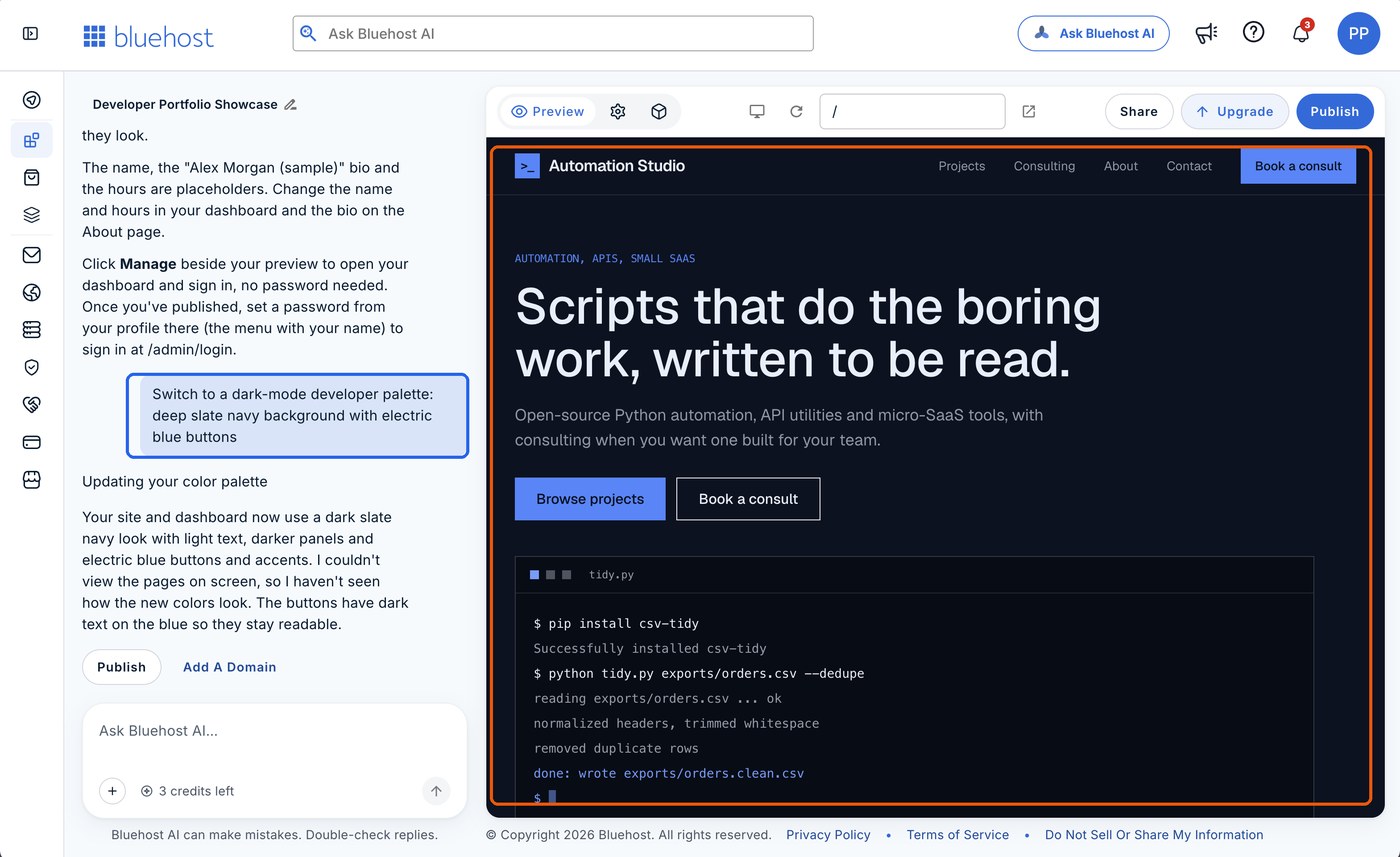
Post-generation customization happens through conversational chat prompts rather than manual visual editing.
You can issue specific architectural directives:
- "Switch to a dark-mode developer palette: deep slate navy (#0f172a) background with syntax-highlighted electric blue buttons."
- "Add a technical documentation section with three tabbed code-block placeholders."
- "Restructure the contact section to include a project budget dropdown."
The builder updates the DOM dynamically in the live preview window. Builders can toggle between desktop, tablet, and mobile breakpoints to verify that navigation menus collapse cleanly into accessible mobile slide-out drawers.
You can also inject your own branding assets (SVGs, PNGs, WebP files up to 5 MB) or feed reference URLs to align typography and color schemes.
Step 4: Instant Subdomain Deployment
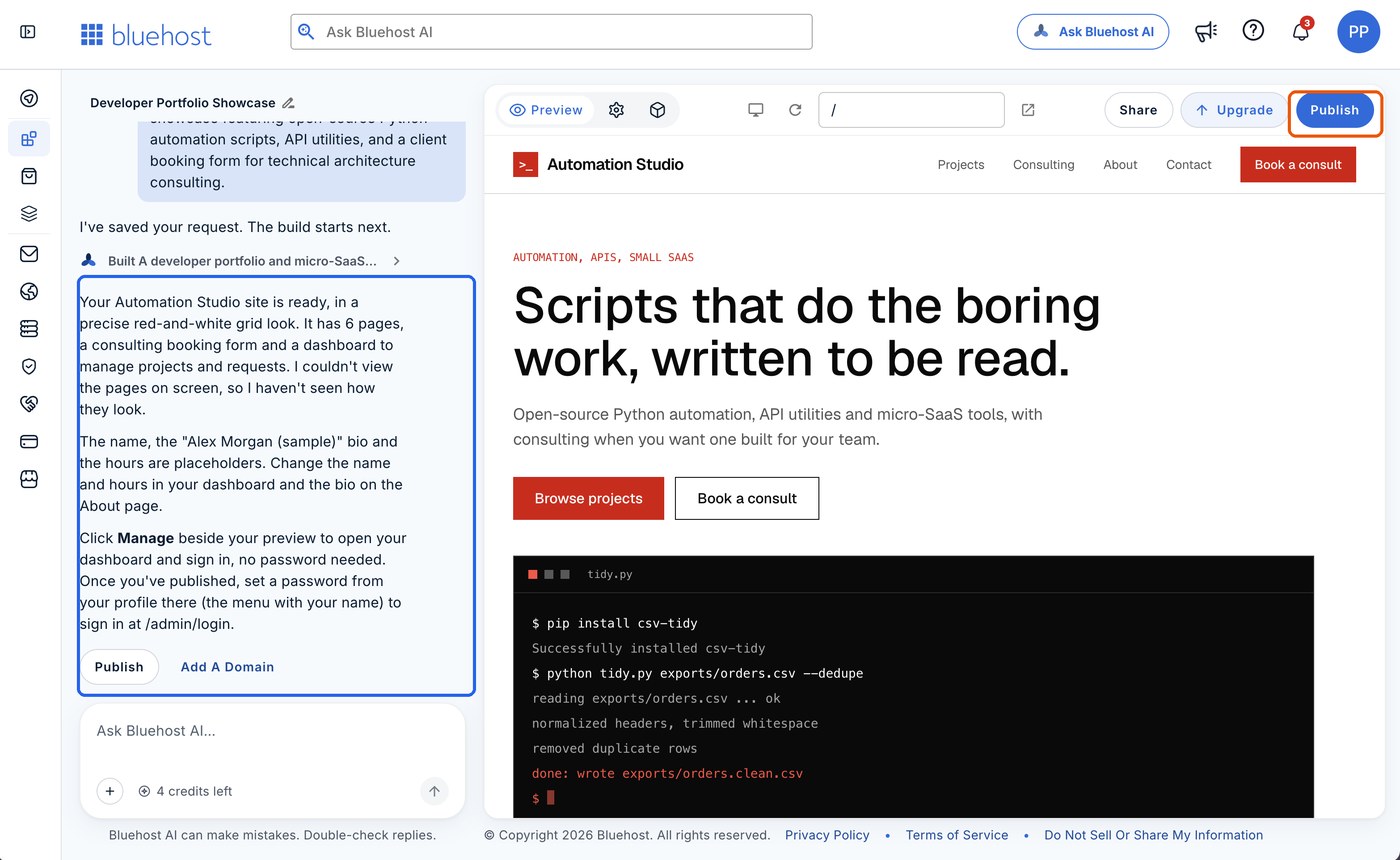
Deploying your build is instantaneous. Clicking Publish provisions the application to Bluehost's global cloud network.
On the Free plan, your project is published immediately to a live, SSL-secured subdomain:
https://yourname.app.bluehost.ai
This URL is fully public and shareable with clients, teammates, or early users. Connecting a custom production domain (e.g., codebodh.com or yourproject.dev) is unlocked when upgrading to paid plans from $20/mo.
Deep Dive: The Credits Model & Execution Economics
Bluehost AI Builder uses a transparent, message-based credit structure for its generative operations.
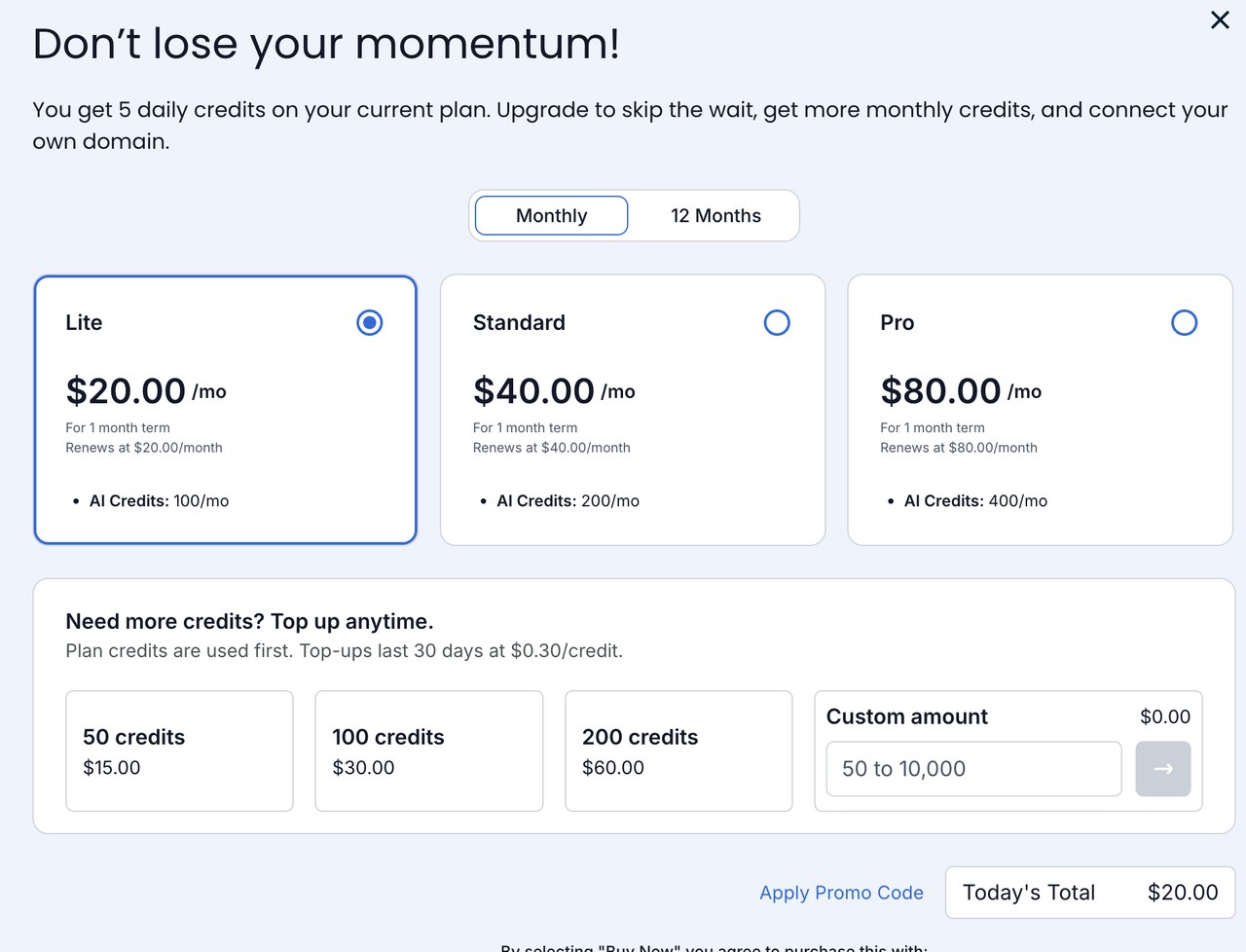
| Plan | Monthly Billing | 12-Month Annual Billing | AI Credits | Core Capabilities & Renewals |
|---|---|---|---|---|
| AI Builder Free | $0 (No card) | $0 (No card) | 5 / day (up to 30/mo) | Live on yourname.app.bluehost.ai; chat edits; 24/7 support. |
| AI Builder Lite | $20.00 / mo | $16.00 / mo ($192.00/yr) | 100 / mo | Connect custom domain; hosting included; renews at $219.48/12 mo. |
| AI Builder Standard | $40.00 / mo | $32.00 / mo ($384.00/yr) | 200 / mo | 2x monthly credits; annual renews at $437.88/12 mo. |
| AI Builder Pro | $80.00 / mo | $64.00 / mo ($768.00/yr) | 400 / mo | 4x monthly credits for agencies; renews at $876.00/12 mo. |
Operational Rules Builders Should Note
- Prompt Consumption: Each prompt sent to the AI uses 1 credit. Clarifying questions asked by the AI cost nothing.
- Validity Window: Monthly credits and top-up bundles (50 credits for $15, 100 for $30, 200 for $60, or custom 50–10,000 bundles at $0.30/credit; plan credits are used first) expire after 30 days.
- Zero Bandwidth Penalty: Server compute, visitor traffic, API pings, and pageviews never consume your generation credits.
- Zero Downtime on Exhaustion: A critical engineering feature: if your monthly credits hit zero, your live published site remains 100% online. The only thing paused is the conversational AI generation engine until credits reset or a top-up is applied.
Performance, Clean Code & Search Standards
Semantic HTML & Mobile Responsiveness
Bluehost AI Builder outputs clean semantic tags (<header>, <nav>, <main>, <article>, <footer>) with properly nested heading structures. Viewports adapt smoothly across mobile devices without horizontal overflow bugs.
Search Engine Realities
The platform handles core technical baseline requirements—generating meta descriptions, page titles, and image alt text. However, Bluehost explicitly notes that organic search visibility depends on content depth, domain authority, and competitive keywords; no software or builder can ever guarantee search rankings.
24/7 Support & Managed Stability
Unlike unmanaged VPS setups where infrastructure management falls entirely on the engineer, Bluehost provides 24/7 live technical support covering DNS mapping, hosting stability, and SSL certification. For extensive enterprise custom builds, Bluehost also maintains an on-demand Professional Services team.
Builder Summary: Is It Right for Your Stack?
For developers, designers, and agencies looking to eliminate frontend boilerplate and deploy rapid client landing pages or functional micro-tools in minutes, Bluehost AI Builder provides a fast, zero-friction path from idea to live deployment.
Because the Free tier lets you build, test, and publish a real live prototype on a Bluehost subdomain without spending a dollar, it is well worth testing for your next rapid build.
Ready to Deploy with Bluehost AI Builder?
Launch your build on Bluehost AI Builder ($0 to start, no credit card required) →






Comments (0)